Digital technology has made higher education more accessible, flexible and connected. Students can attend online lectures, access electronic libraries, collaborate with classmates across continents, submit assignments remotely and use digital platforms to organise their learning. These developments have created important opportunities, particularly for people who cannot attend campus every day. Yet the same technology that makes education more convenient can also produce a new set of pressures: prolonged screen exposure, constant notifications, online meetings, information overload and the feeling that students must remain available throughout the day.
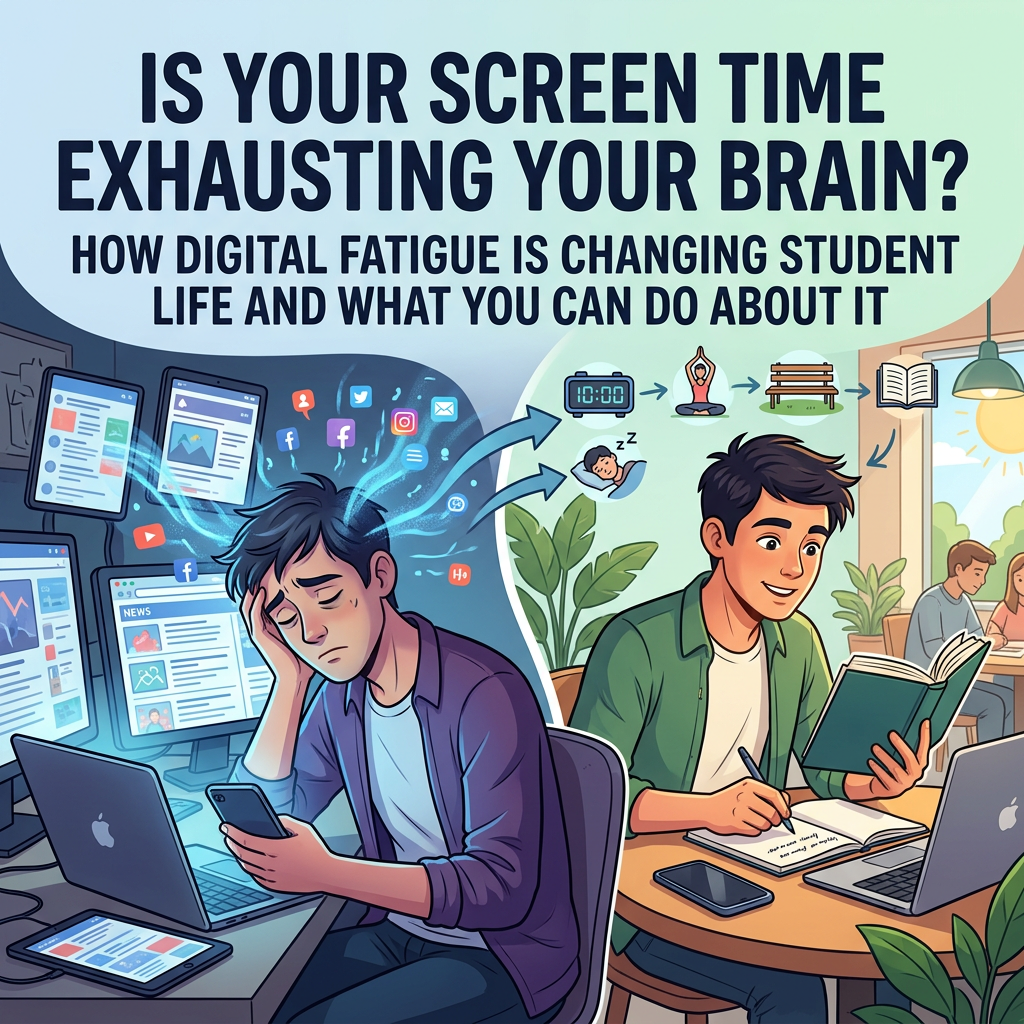
Digital fatigue describes a collection of experiences associated with sustained or demanding use of digital technologies. It is not a single clinical diagnosis, and tiredness after screen use can have several possible explanations. However, students increasingly need to understand how their digital learning environments affect concentration, comfort, motivation and opportunities for recovery.
Research published in 2026 examined the relationship between academic stress, digital fatigue and loneliness in a sample of university students. The study reported associations between these factors, although its cross-sectional design means that it cannot establish the direction of causation. The findings nevertheless underline the importance of considering digital demands as part of the wider student experience rather than assuming that online learning is automatically convenient for everyone.
1. What is digital fatigue?
Digital fatigue is a broad term used to describe tiredness, reduced concentration, mental overload or discomfort associated with prolonged or intensive engagement with digital devices and platforms. A student might experience it after attending several online lectures, switching between multiple learning applications, reading long documents on a small screen or participating in video meetings throughout the day.
The experience can be influenced by more than screen duration. The type of activity, quality of the learning environment, frequency of interruptions, accessibility of the platform and the student’s ability to take breaks may all matter. Two students who spend the same number of hours online may have very different experiences depending on whether they are actively learning, multitasking, attending passive meetings or repeatedly responding to notifications.
2. Why students are particularly exposed to digital demands
University learning increasingly involves several digital systems at once. Students may receive announcements through a learning management system, communicate with lecturers by email, collaborate through shared documents, attend video meetings and use separate applications for reading, referencing and assessment. When information is spread across multiple platforms, students may spend considerable time checking where important instructions have been posted.
Digital demands can also continue beyond scheduled study hours. A student may receive messages from a project group late in the evening, notice an assignment announcement while relaxing or feel compelled to respond quickly because classmates appear constantly available. This can weaken the boundary between academic and personal time, particularly for remote learners and postgraduate researchers who already manage flexible working patterns.
3. Common signs of digital fatigue
Students may notice difficulty maintaining attention during online lectures, a growing reluctance to attend video meetings or a sense of mental exhaustion after switching between different applications. Some experience headaches, eye discomfort, neck or shoulder tension, while others find that they become distracted and less productive after prolonged periods of screen-based work.
These symptoms are not proof that digital technology is the cause. Eye discomfort, headaches, sleep problems and concentration difficulties can have multiple explanations, and persistent or severe symptoms should be discussed with an appropriate health professional. Nevertheless, reviewing digital habits and the physical study environment can be a useful starting point.
4. The problem of constant multitasking
Many students believe that they can improve productivity by listening to a lecture, checking messages, browsing academic sources and responding to group discussions simultaneously. In practice, frequent task-switching can make it harder to maintain a coherent understanding of complex material. Students may remember less of a lecture because attention is repeatedly diverted, or they may spend longer completing an assignment because they continually interrupt their own thinking.
A more deliberate approach is to separate tasks according to their cognitive demands. Students can reserve focused periods for reading and writing, schedule specific times for email and messages, and keep non-essential notifications switched off while working. This does not require abandoning digital communication; it simply makes communication more intentional.
5. Design a healthier digital study environment
A comfortable study environment can reduce some avoidable sources of strain. Students should position screens at a comfortable viewing distance and height, use appropriate lighting, adjust text size where necessary and avoid remaining in one posture for excessively long periods. A separate keyboard or monitor may be useful for people who regularly work on laptops, although students should consider their budget and available space.
The physical environment matters too. A quiet workspace, reliable internet connection and accessible study materials can reduce frustration. Students who lack a suitable home study environment may benefit from campus libraries, study rooms or other accessible spaces. Universities should recognise that not every student has a private room, suitable equipment or stable broadband.
6. Use screen breaks as part of the learning process
Short breaks can provide an opportunity to move, change focus and recover from sustained concentration. Students might stand up between lectures, look away from the screen periodically, stretch or walk briefly after completing a focused task. The purpose is not to follow a rigid formula that suits everyone, but to avoid treating uninterrupted screen use as a measure of academic commitment.
Where possible, students can also vary the format of learning activities. Reading a printed article, discussing a concept with a classmate, writing notes by hand or listening to an audio resource may provide alternatives to continuous screen-based work. These options will not be appropriate for every subject or every student, but a varied learning routine can make digital study less monotonous.
7. Protect the boundary between study and personal time
One of the most important changes students can make is to establish a clear end to the academic day whenever their circumstances allow. This might involve setting a time to stop checking university email, disabling non-urgent notifications overnight or keeping study applications off personal devices used for relaxation. Students with caring responsibilities, shift work or international time-zone commitments may need more flexible arrangements, but even a modest boundary can help create periods in which academic demands are not constantly visible.
Group work requires communication too. Students can agree on reasonable response times and avoid assuming that everyone is available at all hours. Lecturers and supervisors can reinforce this by communicating expectations clearly and avoiding unnecessary out-of-hours messages.
8. Digital wellbeing and international students
Online platforms can help international students maintain contact with family and friends, participate in academic communities and access support from a distance. However, students may also face time-zone differences, language barriers, unstable connectivity or pressure to manage communication across several countries. Digital access does not automatically remove the challenges of adjusting to a new educational and cultural environment.
Universities can improve the experience by providing clear platform guidance, accessible technical support, recorded materials where appropriate and realistic expectations around online participation. Students should also be informed about how to access wellbeing support when they are studying remotely or are not physically present on campus.
9. How universities can reduce digital overload
Institutions should review the number of platforms students are expected to use and consider whether important information can be consolidated. When every module adopts a different communication channel, students may spend more time navigating systems than engaging with course content. Clear guidance on where announcements, readings, deadlines and feedback will appear can reduce unnecessary complexity.
Course designers should also consider the balance between synchronous and asynchronous learning. Live sessions can support discussion and interaction, while recorded lectures and flexible resources may help students manage different schedules. Neither format is universally superior; effective design depends on learning objectives, accessibility, subject requirements and student circumstances.
10. A seven-day digital wellbeing reset
Students who want to review their digital habits can begin with a short, realistic experiment. On the first day, observe how many platforms are used for academic communication and identify which notifications are genuinely essential. On the second day, organise a focused study period without non-essential interruptions. On the third day, introduce regular movement breaks and review the comfort of the study space.
During the next few days, students can establish a reasonable email-checking routine, try one non-screen learning activity and set a practical stopping point for academic communication. At the end of the week, they can consider which changes improved concentration or reduced frustration and which were difficult to maintain. The purpose is not to achieve a perfect digital routine, but to identify habits that make learning more sustainable.
Frequently asked questions
Is digital fatigue the same as eye strain?
No. Eye strain can be one aspect of discomfort associated with screen use, but digital fatigue is a broader term that may include mental tiredness, reduced concentration and information overload.
Should students avoid screens completely?
For most students, this is neither realistic nor necessary. Digital tools are central to many educational activities. The aim is to use them deliberately, reduce unnecessary interruptions and create opportunities for recovery.
Can online learning cause loneliness?
Online learning may reduce spontaneous social contact for some students, particularly when courses provide few opportunities for interaction. However, well-designed digital communities can also support meaningful connection. The experience depends on the student and the learning environment.
How can I concentrate better during online lectures?
Reduce distractions, prepare materials before the session, take structured notes and use appropriate breaks. If possible, choose a comfortable environment and avoid running unrelated applications in the background.
Conclusion: Technology should support learning, not consume every part of student life
Digital technology is now an important part of higher education, and its benefits should not be dismissed. Students can access resources, collaborate internationally and participate in learning in ways that were previously difficult or impossible. However, these benefits are strongest when digital systems are designed around genuine educational needs and when students have opportunities to disconnect, recover and interact beyond screens.
A healthier digital learning experience requires action from both individuals and institutions. Students can review notifications, vary learning activities and protect personal time, while universities can simplify platforms, improve accessibility and design more balanced online teaching. The goal is not less technology for its own sake, but technology that makes education more effective without creating unnecessary demands.
Stay connected with Scholars Careers: Subscribe for more practical articles on digital education, student wellbeing, academic skills and international opportunities. Follow our updates and share this guide with students who spend much of their day learning online.
Disclaimer: This article offers general educational information, not medical advice. Persistent headaches, eye discomfort, sleep problems or mental health concerns should be discussed with an appropriately qualified professional. Digital wellbeing needs and accessibility requirements differ between individuals.


